
New AI-powered capabilities are coming to Power Pages. These include the ability to embed agents directly into websites, marking a shift in what online self-service can look like for people outside your organisation.
Most conversations about AI agents focus on internal productivity: helping sales teams, speeding up service operations and reducing admin work.
But the same technology can serve web portal users, whether they are customers, members, partners, or other groups.
While portals already manage form submissions, case tracking, and knowledge searches, the gap between what many of these websites offer and what people expect from a modern online experience continues to widen.
Power Pages, the Microsoft product that gives people outside your organisation secure access to your data and processes, is at the centre of meeting this demand.
Whether you are already running a portal or considering building one, here’s what’s changing.
Contextual Answers
Microsoft provides tools for creating AI agents that can be embedded across the platform, including within Power Pages.
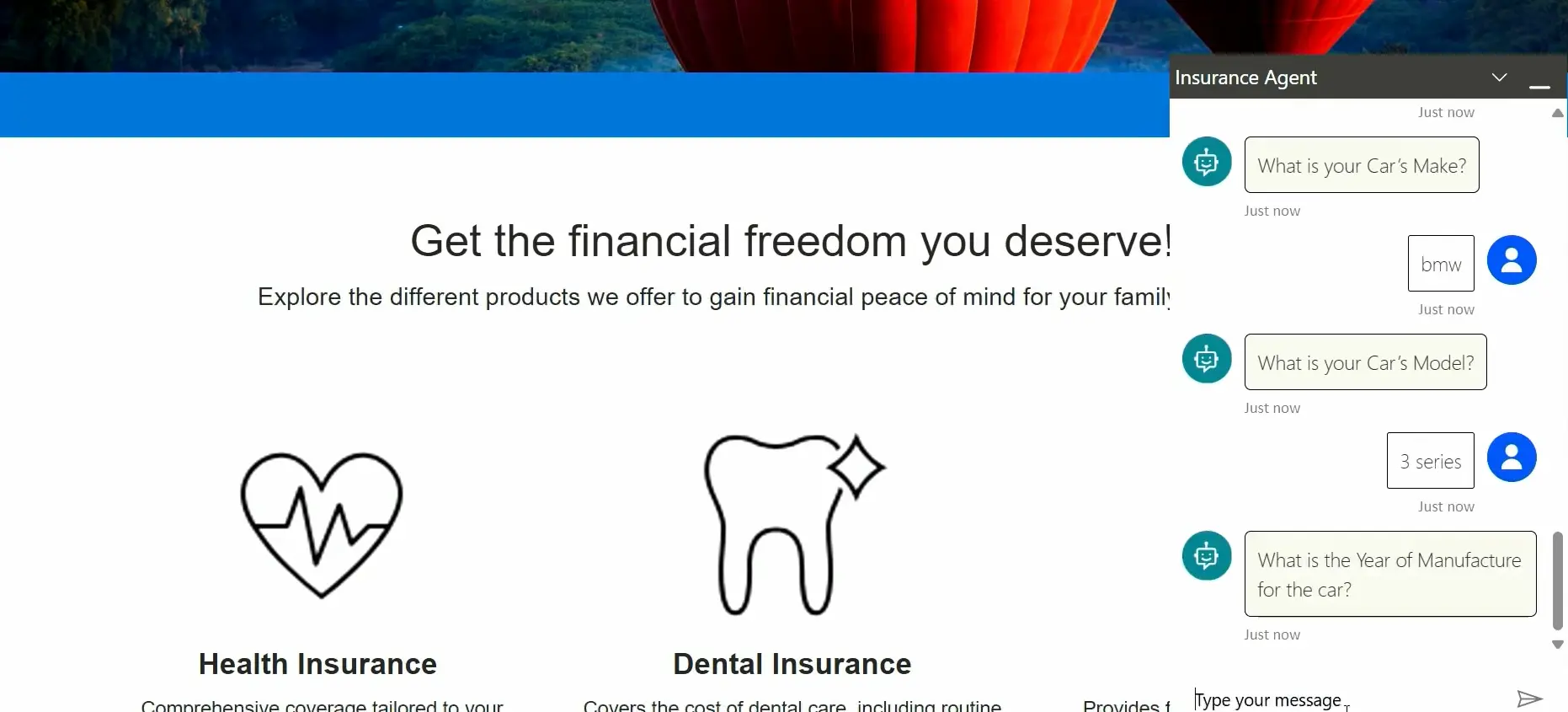
The most likely way website users will interact with these agents is through a chat experience.
But a bot that answers questions from a knowledge resource is nothing new. What is changing is the context of the responses when the user is authenticated.
Once someone logs in through a verified identity provider, the agent knows who they are. It then operates within the boundaries of their account, their permissions, and their relationship with your organisation.
That means its answers and guidance reflect what the organisation already knows about the individual, not just what sits in a document or knowledge article.
Consider someone logging in to check the progress of a support case.
Rather than navigating pages and reading updates, they can ask the agent for a quick summary of where things stand, where responses are grounded in case data. If it can’t resolve the query, the agent can hand off to a service representative through Dynamics 365 Customer Service.
This is the difference between a portal that presents information and one that actively helps.
The agent only accesses what that user’s web role permits, so data is not exposed beyond existing access controls.
Interactive Web Form Completion
Web forms are where many portal interactions start.
But long forms, unfamiliar fields, and rigid sequences create friction, especially for complex processes like applications and registrations.
To provide an alternative, Microsoft is previewing assisted conversational agents that help people complete forms.
In a two-way interaction, the agent can explain what a field requires, challenge incomplete answers, ask for more detail, and direct the conversation.
For someone working through a multi-step submission, this is closer to a guided discussion than completing a web form in isolation.
The result is two routes to the same outcome: people can either fill in a regular web form or share the information through an agent conversation.
The agent connects to the same Dataverse table as the web form. Both options collect the same details, create the same records and trigger the same processes.
When the user is authenticated, the agent can draw on the organisation’s knowledge of them, tailoring guidance to their situation – not just the web form rules.
Handling Document Uploads on Portal Forms
A similar capability applies to forms that involve attachments.
When file upload is enabled, an agent can extract relevant data from a PDF or image and map it to the corresponding fields in Dataverse.
This saves time for any process where people routinely type information from a document.
It also reflects a broader change we’re seeing in how AI can efficiently process documents in Dynamics 365. We recently explored this topic in an article, covering how agents can read, extract, and act on the contents of documents without manual data entry.
Summarising What’s on the Page
Not every AI capability in a portal requires a conversation. Power Pages can also generate summaries of page content, giving people the key points from a long or complex page without reading it in full.
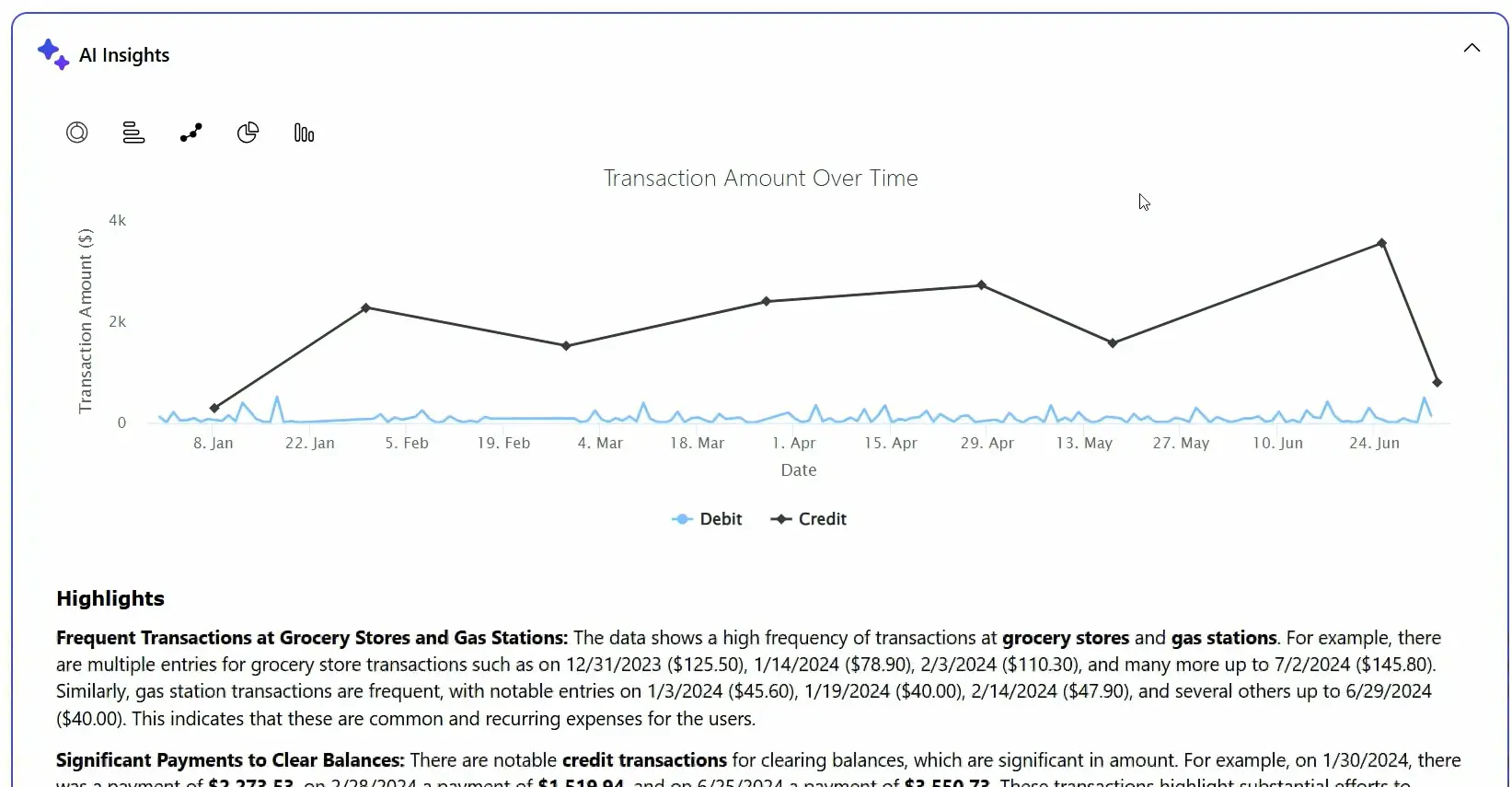
This is useful anywhere detailed information is published such as policy documents, service terms, transaction histories, or technical guidance. Rather than forcing people to work through dense content, these AI-generated summaries provide a concise overview.
The same approach can be used to present data visually. A table of transaction records, for example, can be accompanied by a chart and written highlights of the trends and notable items within the data.
What Agents Depend On
These capabilities raise the bar for what portals can offer. They also increase the importance of the data and workflows behind these websites.
Power Pages agents draw on Dataverse records, so if these are incomplete or outdated, the agent risks exposing that directly to the people you are trying to serve.
Inside your organisation, poor data quality is an internal problem. On a portal, it becomes more visible.
Permissions also need careful thought. The web role model in Power Pages controls what each person can see and do. When agents are involved, that access model needs to be configured so the agent respects the same boundaries. Microsoft provides governance tools but using them effectively requires planning.
While many of these features are currently only available in preview, it’s worth assessing if your data, knowledge content, and workflow rules are ready for use by an AI agent.
Where This Is Heading
Microsoft is positioning Power Pages as the primary channel for delivering AI-driven experiences to people outside an organisation.
The product has moved up the priority list in the latest release plans, and the pace of new features has increased noticeably over the past 18 months. Voices within the Microsoft partner community are already describing Power Pages as the product for delivering agent-driven experiences to external users.
If you are running a portal or planning to implement one, this trajectory is worth understanding now, even if adopting agent features today is premature for your organisation.
How much of what people do on your portal today could be handled more effectively with an AI agent assisting them?
How We Help
We design and build Power Pages portals for organisations using Dynamics 365 or Power Apps.
If you want to understand what agent capabilities could mean for your portal, or if you are evaluating whether Power Pages is the right fit, get in touch.