
Every PDF your team types into Dynamics 365 has a price tag attached, and when you add up the volumes, the figure is often higher than many expect.
You know the cost of your CRM licences down to the pound, but the cost of getting data into it is rarely measured with the same rigour. Manually entering details from invoices, orders, and other documents often falls into an operational blind spot.
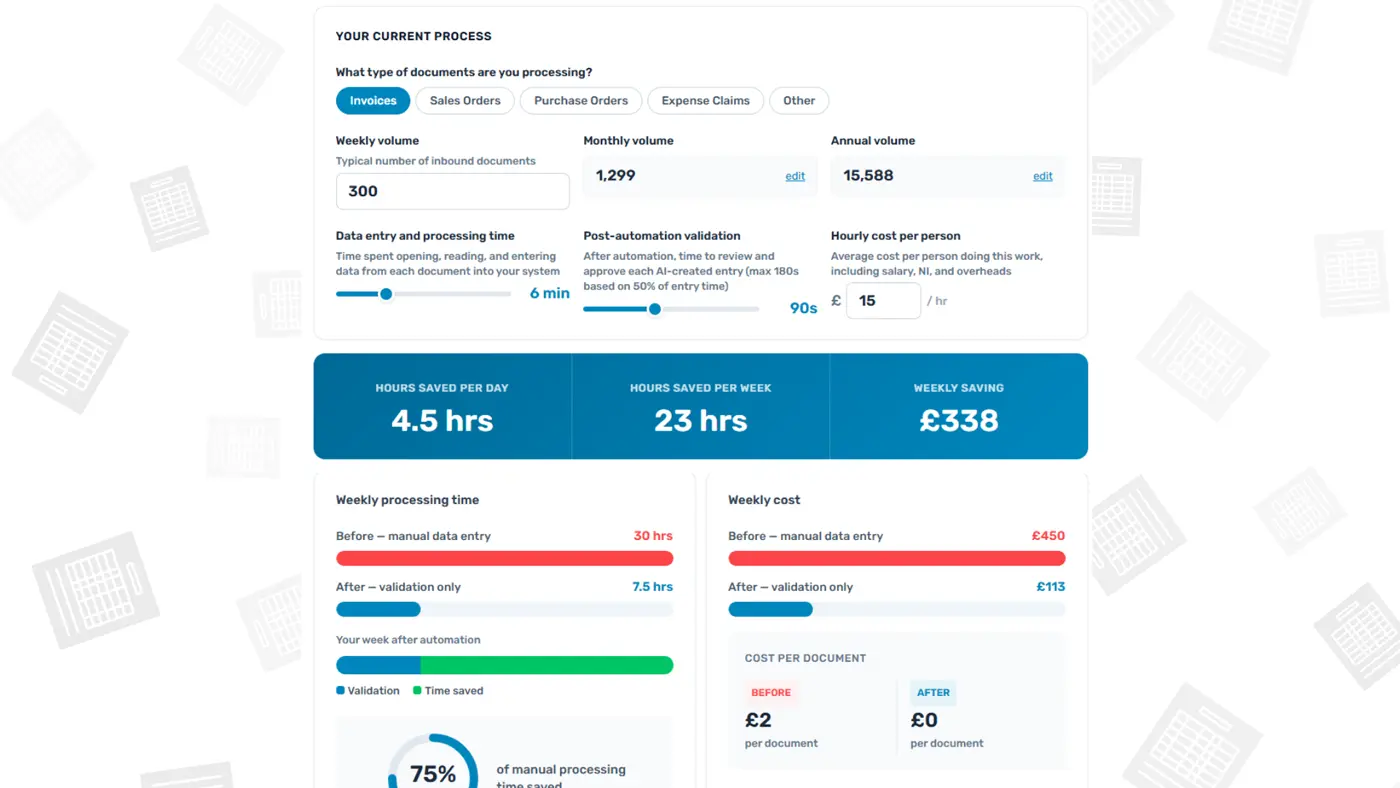
We built a cost calculator to give you the number. Enter your weekly volumes, the time each document takes to process, and the cost of the people doing the work.
The results show what manual data entry costs you per day, per week, and per year, alongside the potential savings from AI-powered automation.
To put it in perspective, a team processing 300 invoices a week, taking 6 minutes per document, spends 30 hours on repetitive data entry. At £15 per hour, that is more than £23,000 a year on this single document type.
How AI agents handle what OCR cannot
Template-based scanning using Optical Character Recognition is well established as an effective solution where documents follow a consistent format.
When the majority of your volume comes from a small number of senders using standard layouts, OCR handles the job.
The challenge is the rest. Documents from new customers and suppliers, in varied formats or inconsistent structures, often still rely on manual data entry.
However, AI agents built using Microsoft’s Platform tools, including Copilot Studio, now offer more than just OCR, as they can understand the context of each document rather than relying on fixed templates.
They identify relevant fields, understand context, extract data, and map it to the correct records in Dynamics 365, even when layouts differ.
This augments OCR rather than replacing it. The combination means a greater proportion of inbound documents can be processed without someone spending their days typing.
What changes for your team
Automating data entry changes how your team spends their time while keeping them in control of the process.
Rather than entering figures from a PDF into Dynamics 365, the person handling the document reviews an entry the AI has already created. They check the extracted data against the source document, flag anything that looks wrong, and validate each record before it is saved.
This is a different kind of work. Reviewing each pre-populated record and deciding whether it is accurate demands closer attention than copying numbers from one screen to another.
Your team’s attention shifts to the work that needs human judgement: data quality, processing accuracy, and handling the exceptions that fall outside normal patterns.
Put a number on your document processing
Our calculator offers a clear view of what your document processing costs are today and how automation could reduce them.
The calculator does not capture everything that changes. It does not show the improvement in data quality that comes from structured validation, or the capacity your team gains for the work that needs human judgement. But it gives you the financial baseline to start the discussion.
How We Help
We work with organisations using Dynamics 365 to automate document processing that once felt too complex to change. If the numbers match what you suspected, we should talk.
Book a 20-minute call, and we will review the opportunity and show you what a more efficient workflow could deliver for your business.