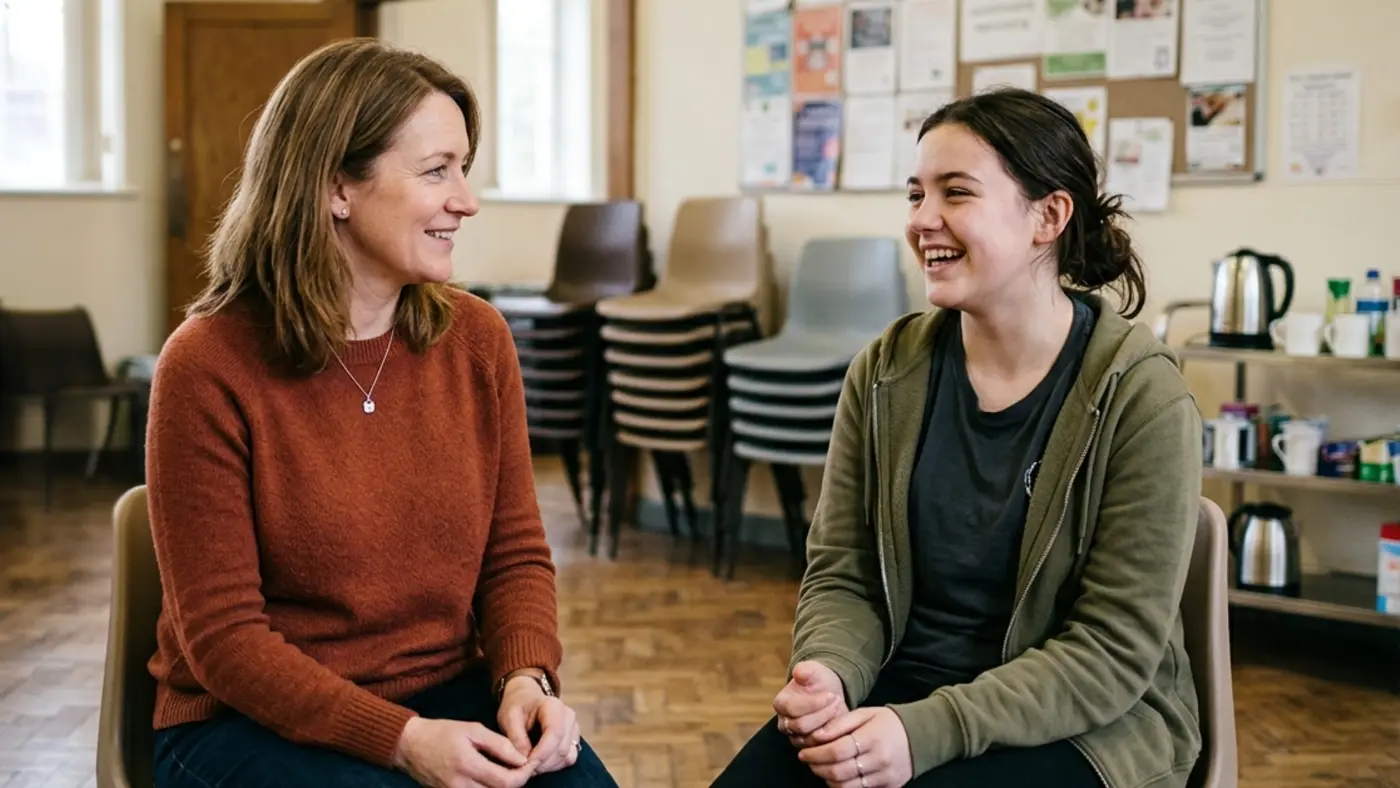
A volunteer offers their time today, but by the time someone has emailed a form, waited for a response and provided references, days or weeks have passed, and the spark has gone.
An online volunteer registration portal changes that. People can sign up, tell you what they want to help with and when they are free, and begin your checks in one sitting. Everything they enter is structured and written straight into your CRM as a record your team can act on, rather than scattered across email threads and spreadsheets.
What matters most is the result. People you would otherwise lose reach their first shift sooner, and the volunteer who arrives feels welcomed rather than processed.
Where volunteer sign-ups come unstuck
You know the shape of this already. You send a form, and it comes back half complete. Someone owns the volunteer spreadsheet, but others need to access it simultaneously. References and approvals are time-consuming, so eager new volunteers must wait for a reply.
These are classic signals of manual processes that do not scale, vary from person to person, and are hard to see into. Yet the moment someone offers is when their motivation peaks, so every delay works against you, and good people drift away before they start.
Sign-up processes that respect people’s time
A web portal gives potential volunteers a single, clear path from interested to registered. People choose how they want to help and when they are available, share any details you need to know, and submit the form once.
For an existing member or supporter, or anyone you already know, these forms recognise them, so they don’t have to retype the same information. Pulling contact details from CRM records keeps data clean and reduces user effort, lowering the risk of form abandonment.
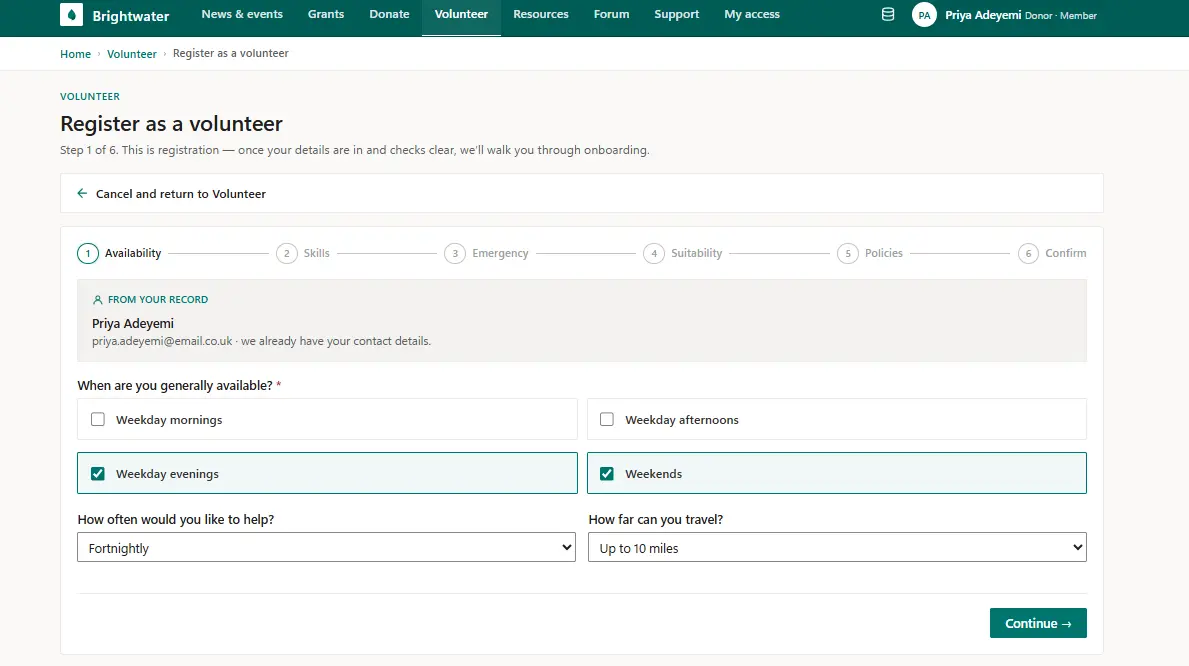
Checks that fit the role
Most roles need vetting before a volunteer starts, but the type depends on the role or organisation. We configure each portal around your steps and checks. At sign-up, you might ask people to confirm they meet the basics for the roles they want, agree to a Disclosure and Barring Service check where one is required, and consent to references. These are choices you set, not a fixed sequence, recognising that a befriending role and a one-off litter pick don’t call for the same scrutiny.
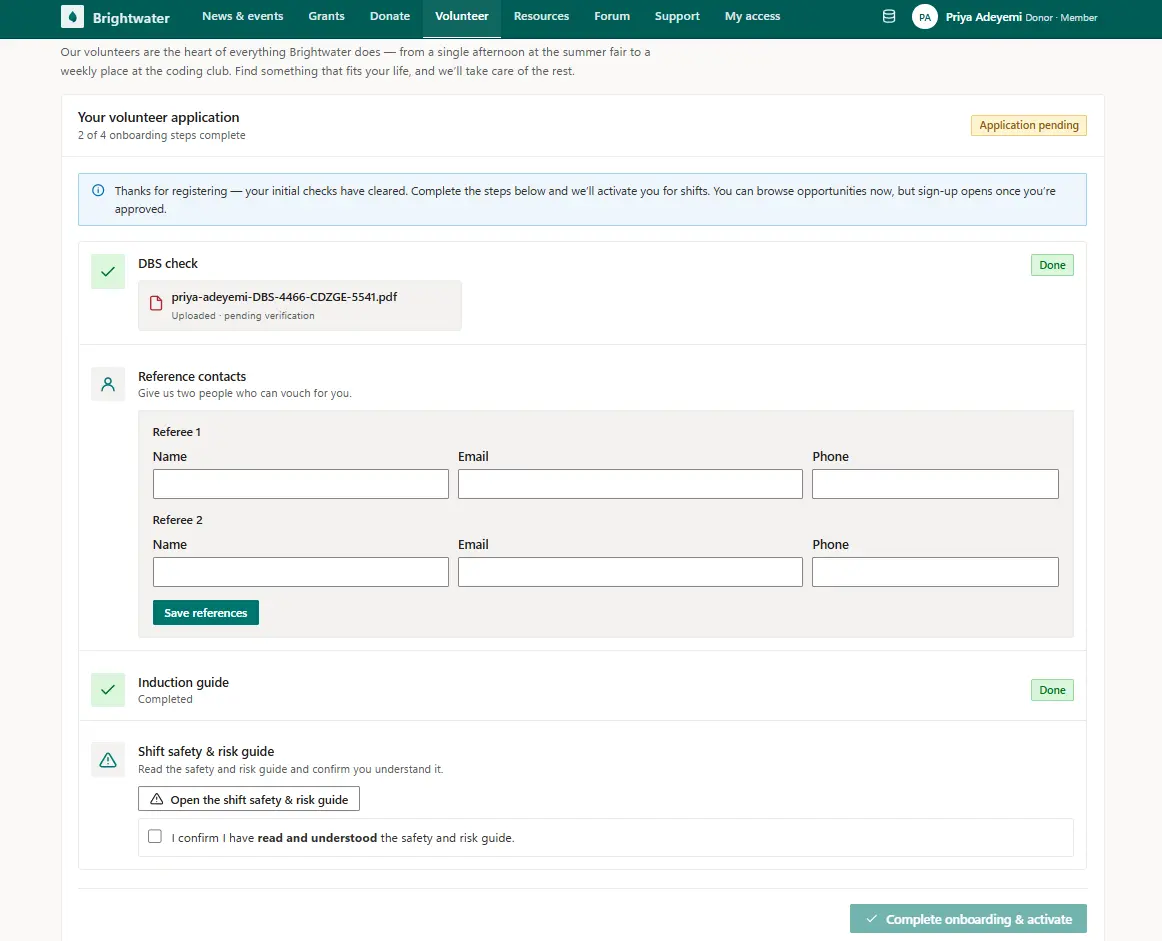
Once someone clears your initial screening, the portal can prompt them to complete the next steps. That might mean uploading a DBS certificate and naming referees for you to contact. Each step only appears when relevant, so applicants don’t feel overwhelmed.
Audited volunteer onboarding
Because approval is only the start of volunteer onboarding, a portal can ask volunteers to read your policies and confirm they accept them. For roles that carry real responsibility, the portal provides access to training materials and induction guides, then asks people to confirm they have finished them or pass a short check.
This is where these processes align with your safeguarding policy. When a volunteer must complete these steps or data protection training before their first shift, the portal tracks each action and the policy version they accepted.
Finding roles and staying involved
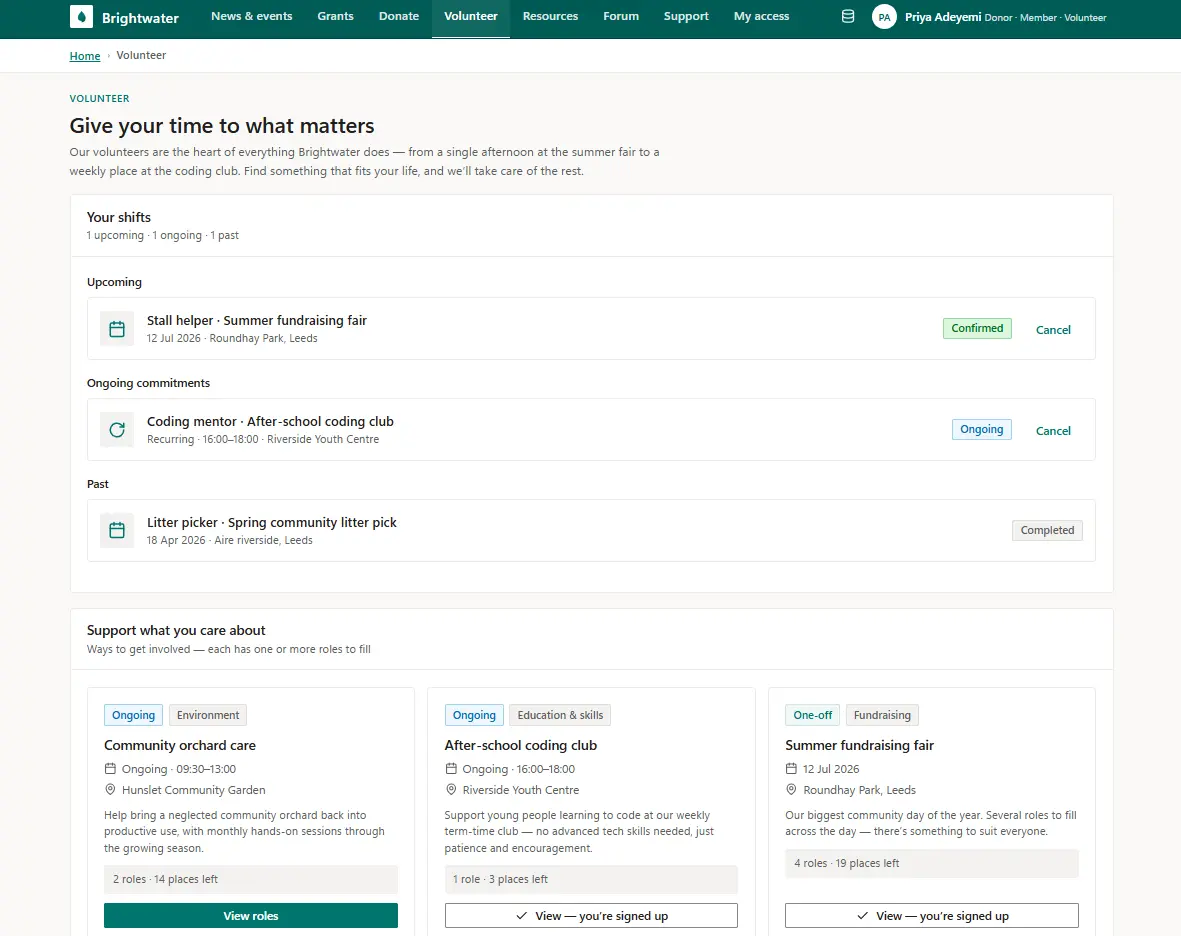
Once people are approved, the portal shows them open roles that they can sign up for directly. Here they can see where help is needed, and for larger events with several jobs to fill, volunteers can select a specific role rather than a vague slot.
These one-off and ongoing commitments sit in one place they can manage themselves, which cuts your admin. For instance, a volunteer can easily update their availability, change how far they will travel, or flag a holiday without emailing the office. That keeps an accurate picture of who is free when gaps open at short notice.
Connected to the systems you already run
For the portals we build, each action creates a record in Microsoft Dataverse that is accessible in Dynamics 365 and Power Apps. Because volunteer data is structured, teams can see who is most active, match the right people to new work, and plan schedules using what they know about each person.
These same records trigger automations that make each process feel responsive. That can include immediate acknowledgements to applicants and notifying the right people internally when a volunteer registration form arrives.
If you use Microsoft Business Applications, everything can run within your systems. A volunteer might be the same contact who is also a member or a donor, so their record connects to your CRM and marketing automation rather than becoming another system to sync with.
A responsive web portal handles this without a separate app to maintain, but a dedicated app might have the edge if volunteers need constant access to track details and update information when working in the field. That’s a call worth taking journey by journey, not by default.
Volunteer management, built around your process
Every organisation vets, trains and engages with volunteers differently, so no two portals look the same. We build each one around the way you work and what your compliance policy requires.
If your volunteer registration process risks losing people or causes administrative headaches, that is the part to fix first. Tell us what you want to achieve, and we’ll show you what a portal could deliver for you.
See how we approach member portals or community portals on The Portal Company, or read more about our portal consultancy work.