

Microsoft is releasing a series of AI agents for Dynamics 365 Sales. Each is designed to automate a specific part of the sales process, handling repetitive tasks so your team has more time and better context to close deals.
One agent is generally available now. Three more are in preview and are anticipated for general availability in a future release, with updates expected as part of the 2026 Release Wave 1.
This guide explains what each of these agents inside Dynamics 365 Sales does, the problems they solve, and where they fit in your sales process.
Sales Qualification Agent
A high cost for any sales team is the time spent on prospects who will never buy. The Sales Qualification Agent addresses this directly by increasing your team’s bandwidth without increasing headcount, by handling lower-priority prospects at scale.
For Sales Leaders
The agent works through high volumes of inbound leads that sales teams don’t have the capacity to engage with. This ensures you miss fewer opportunities within that volume, allowing people to focus on fewer, higher-value conversations.
For Sales Professionals
Think of the agent as an assistant who handles the initial legwork. It can research a lead, gather key information (company size, revenue, and key contacts), and present a summary so you can quickly decide whether it is worth your time. It removes the manual research that eats into your day.
Adoption Path
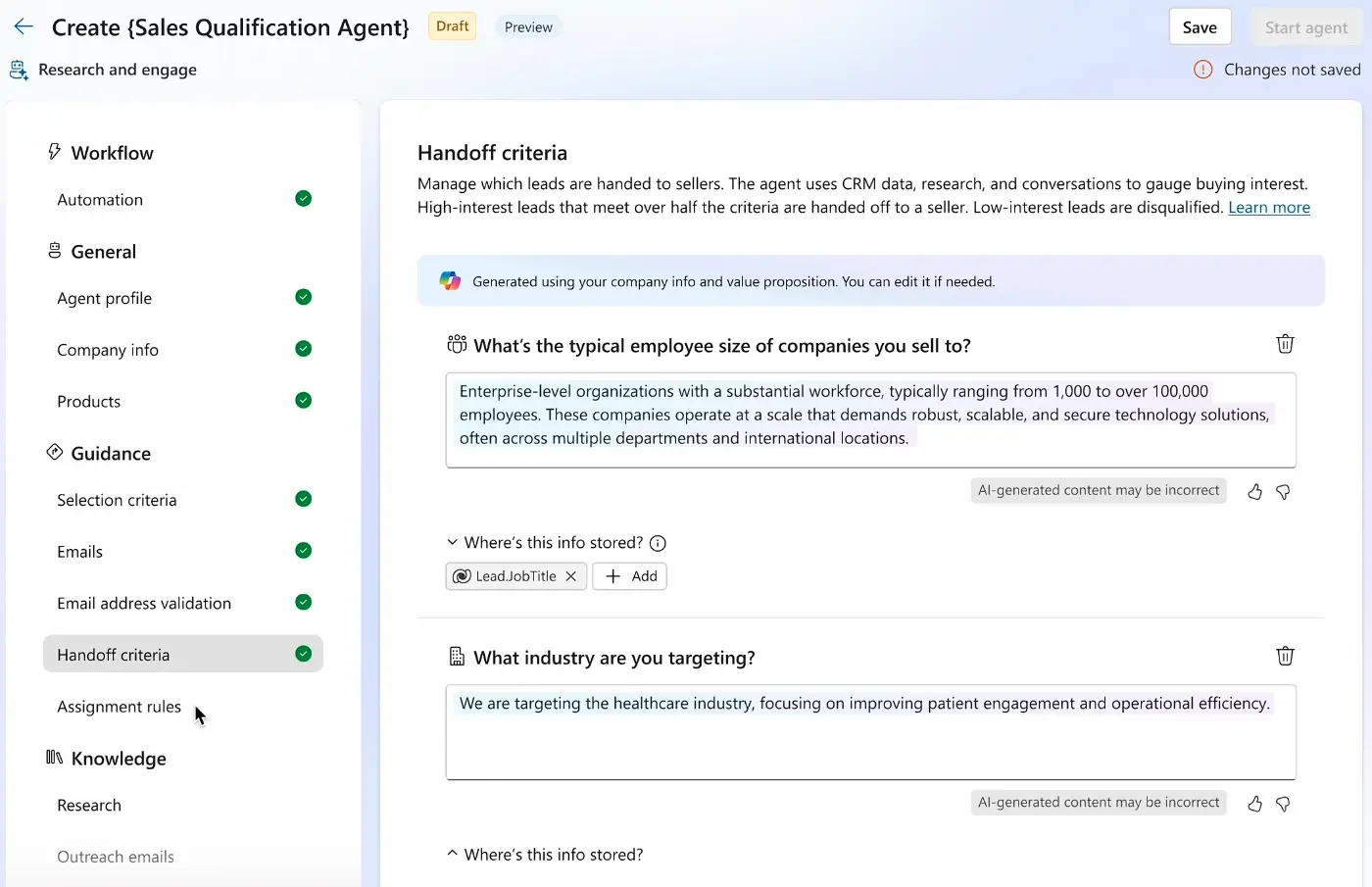
The Qualification Agent has two modes, allowing a phased adoption path.
Research-Only Mode
This is the logical starting point. The agent drafts outreach emails based on its research, but does not send them. You can review these, edit them if needed, and decide whether to send them.
This allows your team to get comfortable with the quality and consistency of the agent’s work. Even if you never move beyond this mode, these drafts contribute to increased outreach.
Autonomous Mode
Once you are confident in the agent’s output, you can switch to autonomous mode. Here, the agent researches, writes and sends emails, and handles initial follow-ups.
You configure the rules that determine when a lead is handed over to a sales person. This happens when a prospect shows buying intent, such as by asking for a meeting or discussing pricing, ensuring people engage when their expertise is needed.
Sales Opportunity Agent – Research
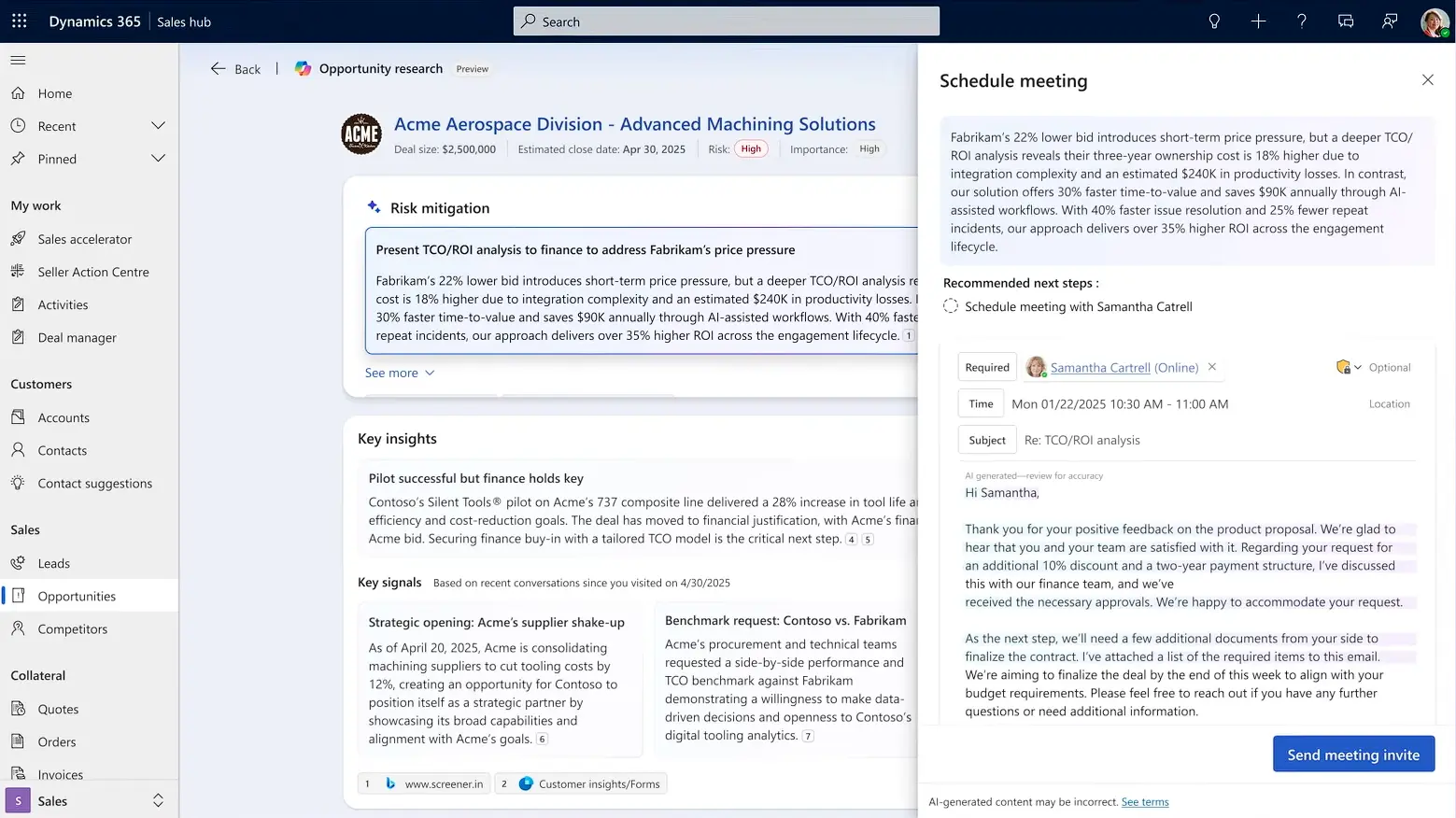
Understanding the true picture of deal health is a persistent challenge for sales leaders. The Sales Close Agent’s research function gives you a real-time, consolidated view of each opportunity.
It acts as an early warning system, bringing together information from Dynamics 365, email threads with the client, and internal team meetings.
For a salesperson, this means less time digging through different systems as the agent highlights critical insights directly on the opportunity record. For example, it can flag if a key stakeholder has not engaged in recent email conversations or if a competitor is mentioned in meeting transcripts.
Sales Close Agent – Engage (Preview)
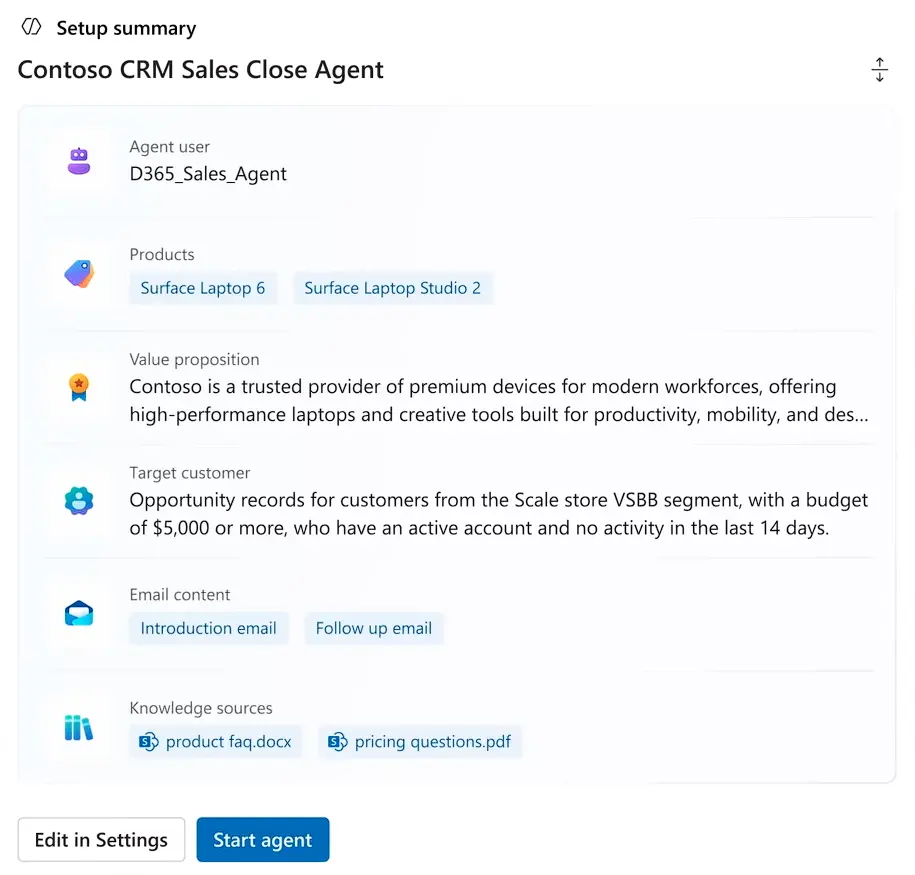
Not all deals require the same hands-on approach. The Sales Close Agent’s engage function is built for high-volume, lower-complexity deals that follow a predictable selling process.
This agent automates the sales cycle for a specific segment of your market. It ensures consistent engagement without consuming your team’s time.
The agent can handle the entire process from first contact to close. You configure it to follow a predefined playbook to send emails, share product information, and answer common questions using your trusted resource.
As a result, teams can focus on opportunities that require a more consultative approach, while ensuring the agent handles transactional deals.
Sales Research Agent (Preview)
Sales data tells a story, but most sales teams don’t see the full picture. The information is in Dynamics 365 Sales, but extracting actionable insights often requires time and creating custom reports.
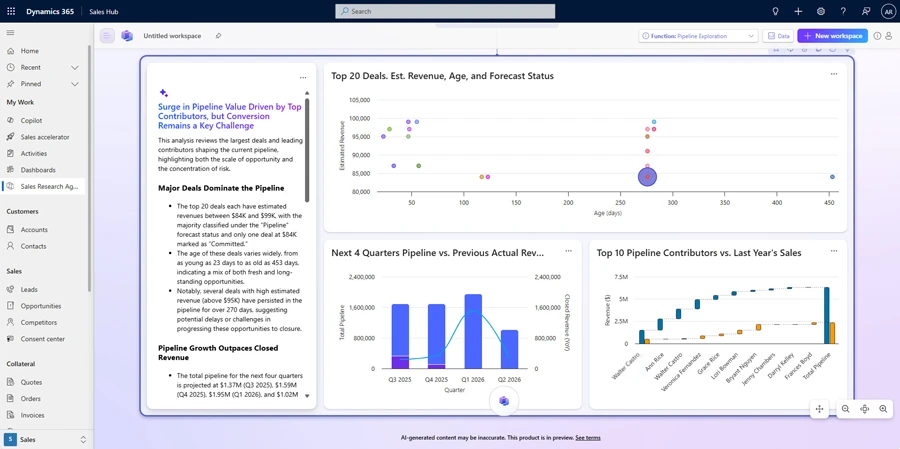
The Sales Research Agent is an AI workspace inside Dynamics 365 Sales that lets you ask questions about your data and get immediate, useful answers.
A salesperson preparing for a client meeting could ask, “What are our top-selling products in this client’s industry?” and get a direct answer.
As a sales leader, you can quickly surface pipeline trends or identify where deals are stalling. For example, ask, “Which deals in this quarter’s pipeline are at the highest risk?” to receive a prioritised list.
How the Agents Work Together
While each agent can be deployed individually, they are designed to work as a cohesive system.
For example, the Sales Qualification Agent could identify and nurture a new lead. Once that lead is handed off, a salesperson could use the Sales Research Agent to get answers to specific questions before their first call quickly.
As deals progress, the Sales Close Agent (Research) could monitor email traffic and meeting notes in the background, flagging potential risks. This creates a process in which automation handles low-value work, while receiving insights that give your team a clear reason to act.
Sales Agents Licensing and Costs
To use the Sales Qualification Agent, your users must have a Dynamics 365 Sales licence (Professional, Enterprise, or Premium).
The agent’s operations consume Copilot credits. If you have a Dynamics 365 Sales Premium licence, Microsoft includes 1,000 Copilot credits per month. For other licence types or for usage beyond this, you will need to purchase credits.
Microsoft has not yet confirmed the licensing model for the preview agents, but it is reasonable to assume a similar credit-based system will apply.
Microsoft 365 Sales Agents
It is worth noting that Microsoft also offers AI sales agents that appear inside Microsoft 365 applications, Outlook and Teams. These agents, part of Microsoft 365 Copilot, can also connect to and use your Dynamics 365 Sales data. While there is some functional overlap, they are separate products from the agents that live inside Dynamics 365 Sales.
What this Means for Your Team
Dynamics 365 agents give sales teams of any size a way to increase their bandwidth and focus on what they do best.
For smaller teams, they can be an effective tactic for competing with larger players through agile use of technology. Understanding how these agents can fit your sales process requires careful consideration of your team’s needs. If you would like to discuss how these agents for Dynamics 365 Sales could work for your business, please get in touch with us.
Related: New Sales Agent Capabilities Announced in 2026 Release Wave 1