
Sales teams outgrow their tools before most organisations notice. Forecasting relies on gut feel, leads stall in the pipeline, and admin work crowds out selling time.
This article examines six common sales challenges and explains which Dynamics 365 Sales capabilities address each one, from predictive lead scoring and sales sequences through to Copilot and cross-application data integration.
These are problems that grow quietly in organisations where manual processes and disconnected systems set the ceiling on what people can achieve.
1. Inconsistent Sales Forecasting
Are you tired of playing guessing games with your sales forecasts?
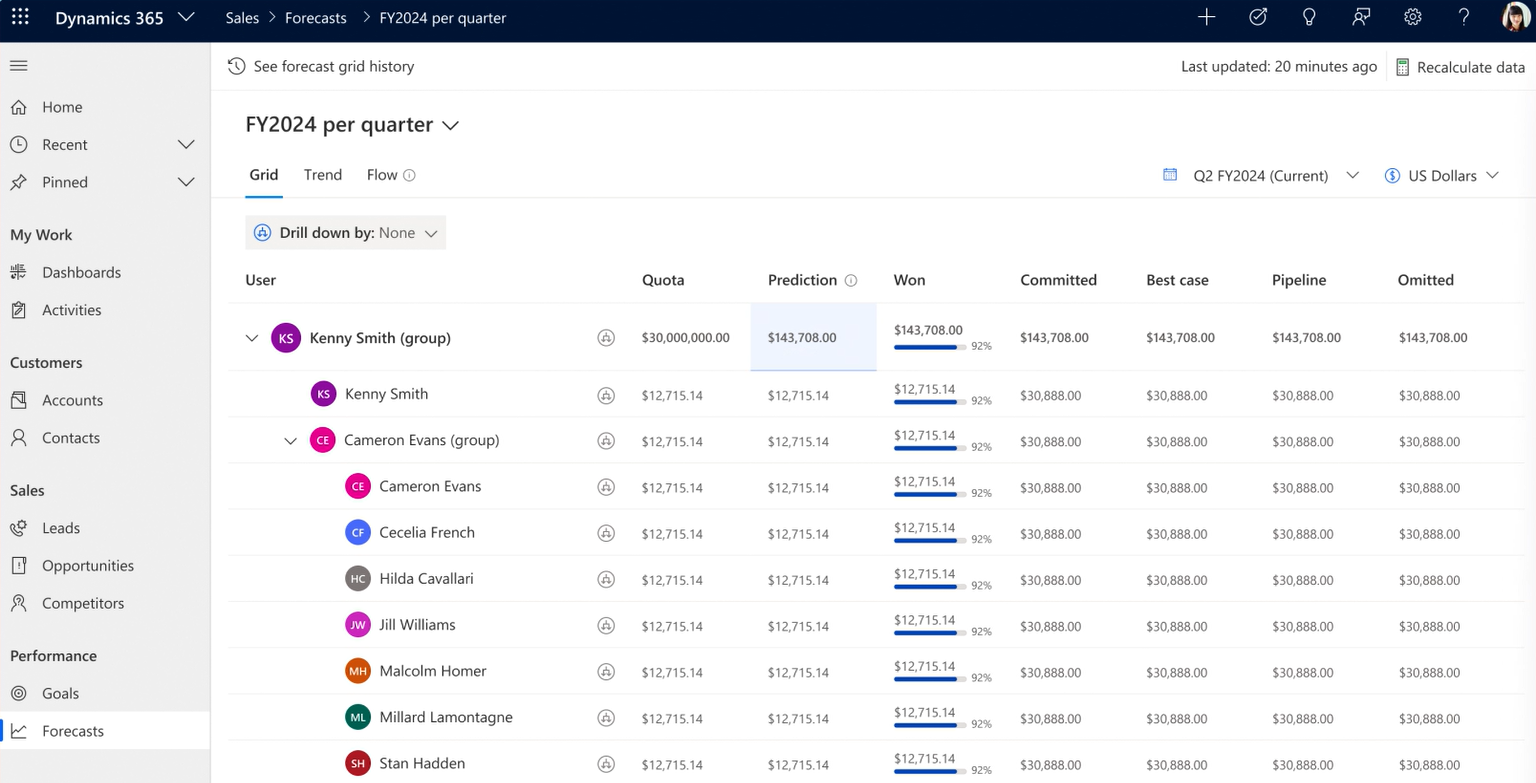
Dynamics 365 Sales can transform forecasting for businesses of all sizes. Its dashboards provide real-time insights, enabling quick, informed decisions. AI-powered capabilities analyse trends and patterns, giving informed predictions and suggesting actions.
The pipeline management tool lets you see all your deals at a glance. It flags potential issues early, enabling prompt action to keep sales on track. By combining your sales history with current opportunity data, Dynamics gives you a clear picture of what’s coming.
2. Long Sales Cycles
Dynamics 365 Sales provides tools to speed up your sales process without cutting corners.
The Sales Sequences feature is like having satnav for your sales journey, guiding sellers through each process step to minimise forgotten follow-ups or missed opportunities. Your team stays on track, and your leads move through the pipeline faster.
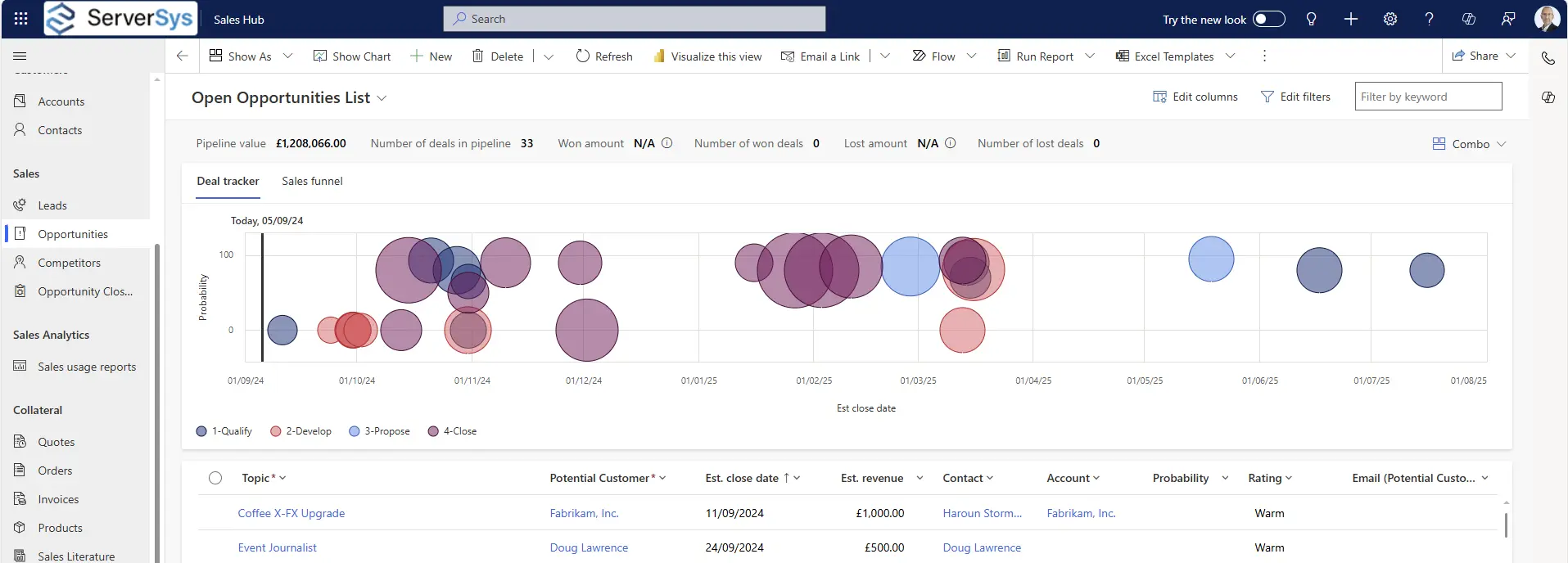
The Opportunity Management tool gives you a comprehensive view of your sales pipeline, allowing you to identify and resolve any blockages quickly.
With embedded AI, Dynamics 365 also analyses your sales data to identify patterns in your longer sales cycles and suggests practical ways to speed things up.
3. Low Conversion Rates
Frustrated with chasing leads that don’t convert? Dynamics 365 Sales provides the tools to turn more prospects into paying customers.
Predictive Lead Scoring identifies high-potential leads to help teams focus on the most promising opportunities. The system also provides Copilot insights and recommendations to boost upsell and cross-sell strategies based on sales history and customer interactions.
Automation features further modernise processes by handling routine tasks such as follow-ups and lead nurturing, leading to higher conversion rates.
4. Inefficient Use of Sales Time
Do admin tasks excessively eat into your selling time?
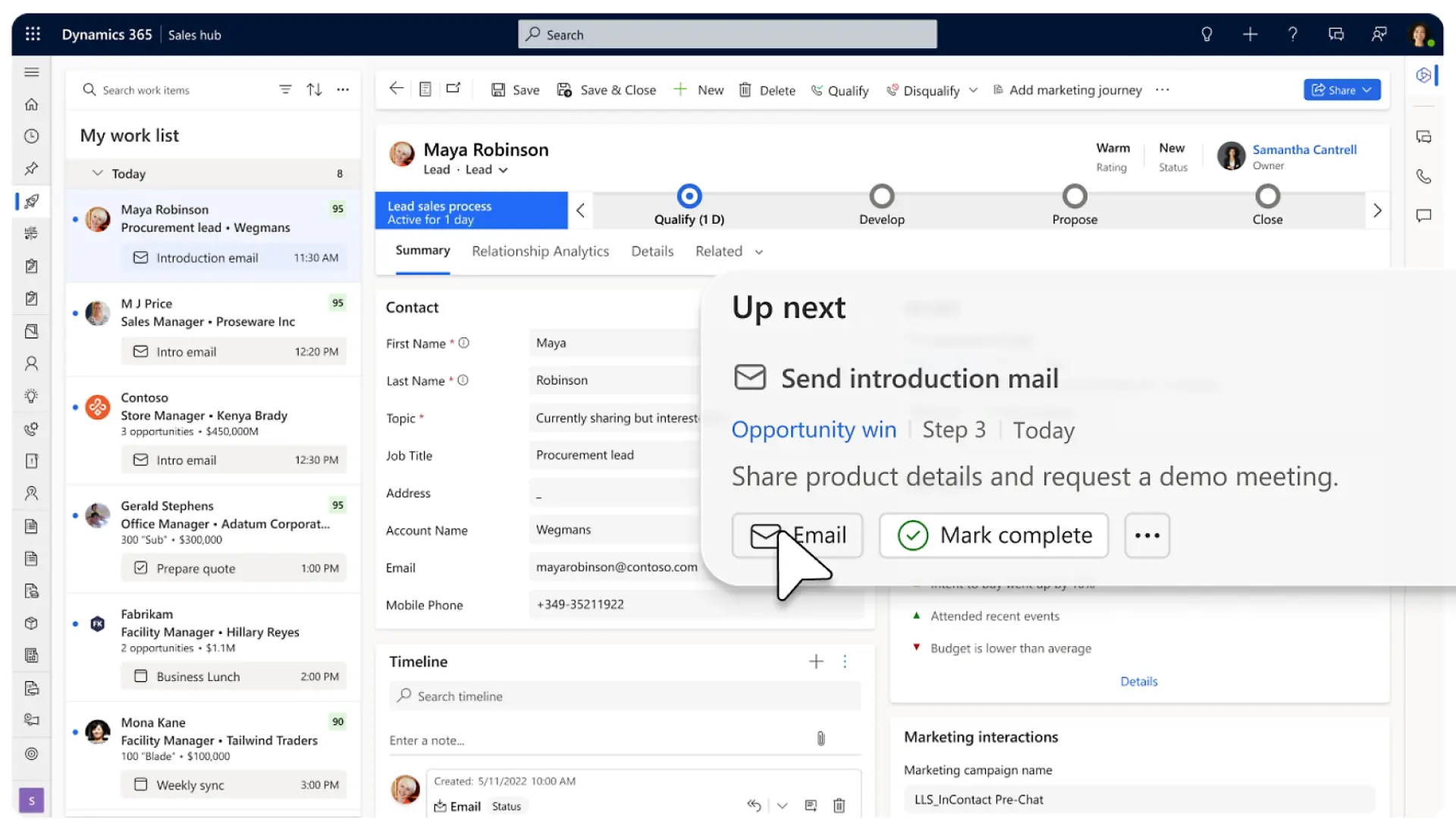
Dynamics 365 helps boost productivity in various ways, helping you free up time for closing deals and building relationships. For instance, the Sales Accelerator work list organises and prioritises tasks (above), putting crucial leads and opportunities at the forefront. This avoids wasted time figuring out what to do next – you can easily see which actions to focus on next.
Integrating with Microsoft Outlook and Teams allows you to access CRM data and functions in your communication tools, for quicker actions and reduced time spent switching between applications.
With Copilot for Sales, you gain further insights, personalised recommendations, and even a helping hand drafting emails. Plus, it lets you update CRM from Outlook to save even more time.

Conversation Intelligence is another time-saving feature. It includes insights from call recordings, automated call transcripts, and action recommendations following conversations.
Using these and other capabilities in Dynamics 365 Sales helps teams maximise capacity by reducing time spent on repetitive administrative tasks.
5. Incomplete Customer Data
Dynamics 365 removes data blind spots, giving you the complete customer picture to close deals quickly and grow relationships.
It automatically connects with other Dynamics apps in your organisation. For example, you can gain instant access to case histories, service agreements, and satisfaction surveys from D365 Customer Service and Customer Voice.
Dynamics 365 Sales also connects with existing marketing automation solutions and ERP systems. This provides sales teams access to event registrations, order histories, account statuses, and other crucial customer details.
This level of integration ensures everyone on your sales team has the customer information they need to personalise each interaction.
6. Aligning sales and marketing
D365 Sales and D365 Customer Insights – Journeys help break down the barriers between sales and marketing teams. It integrates customer journey flows across departments, allowing smooth transitions from marketing to sales.
Journeys can automatically assign tasks to sales teams based on customer actions, so you never miss an opportunity to engage with a hot lead. With shared lead scoring, time can be focused on the most promising prospects, maximising time and effort.
Real-time engagement features let you respond instantly to high-intent prospects. Dynamics 365 takes care of the handoff of qualified leads from marketing to sales, complete with relevant interaction history.
Cross-team analytics provide insights into the entire customer journey, encouraging cross-team collaboration and highlighting areas for improvement.
How we help
The six challenges in this article rarely exist in isolation. Inconsistent forecasting is often linked to incomplete data, which in turn leads to lower conversion rates and longer sales cycles. Dynamics 365 addresses these as a connected system, not as individual fixes.
ServerSys configures Dynamics 365 Sales around the specific challenges your team faces. We can assess which capabilities would have the most impact, handle the configuration, and support your team through adoption. Contact us to discuss your situation.
Related: 12 Ways to Modernise Sales and Drive Growth with D365 Sales
Updated: August 12, 2025