

In short: A portal reduces service requests when customers can finish what they logged in to do. That means 4 things. Answering questions, showing progress, accessing the records they want to check, and letting users make changes or requests.
The case for a customer portal rarely needs arguing. Give people a self-service option to answer their questions, and the resourcing demands on service teams should reduce. But what must a portal do for that to happen?
Gartner published figures in August 2024 from a survey of 5,728 customers. Nearly 75% said they turn to self-service at some point when dealing with an issue, yet only 14% of issues were fully resolved there. Even with problems the customers considered simple, the figure reached only 36%.
Customers are logging in and trying, but the most common reason Gartner found for these miserly success rates was that they couldn’t find information relevant to their issue, so they phoned or emailed instead. That points to a problem with portal design.
The measure that matters after launch
Portal success is often reported in terms of usage because these are easy metrics to count. That includes logins, sessions, articles read and searches run. Those figures might climb steadily while the demand on a service desk remains stubbornly high.
A better measure is what stops arriving in your queues after you launch a portal. Every request that still reaches service teams, whether by phone, email or web form, represents a task the portal couldn’t complete or wasn’t trusted to finish.
Someone who logs in but can’t find what they want and emails instead still counts towards your adoption figures, even though it’s a self-service failure.
4 essentials for customer portals
The expectations of customers using a portal fall into 4 broad areas. When these aren’t met, they resort to other channels.
Answers to questions
This is knowledge base territory, and it performs best when the content is written the way customers describe problems, not necessarily the way the teams categorise them or create content for internal use.
One of our clients recently told us they saw a double-digit fall in case volumes within six months of launching their portal. They attribute this success to accessible knowledge resources that enable users to find information online.
An agent bot working across your centralised data can go further to change the usual knowledge search experience. It reads the context of who has signed in, asks what it needs to narrow down a problem, and draws on the records that person is permitted to see. It’s like a localised version of ChatGPT that runs on your data to provide contextual answers. We wrote about how that works in AI agents on Power Pages.
See progress on current tasks
The most common repeat contact in most service operations is somebody asking where something has got to. That’s often checking whether someone has picked up the case, application or other request, who owns it, what’s happened and when to expect an update.
These checks are less likely to require a conversation if the person who raised the issue can see the current situation online, including recent updates.
Check their own records
A similarly large share of service requests involve customers asking teams to look something up on their behalf.
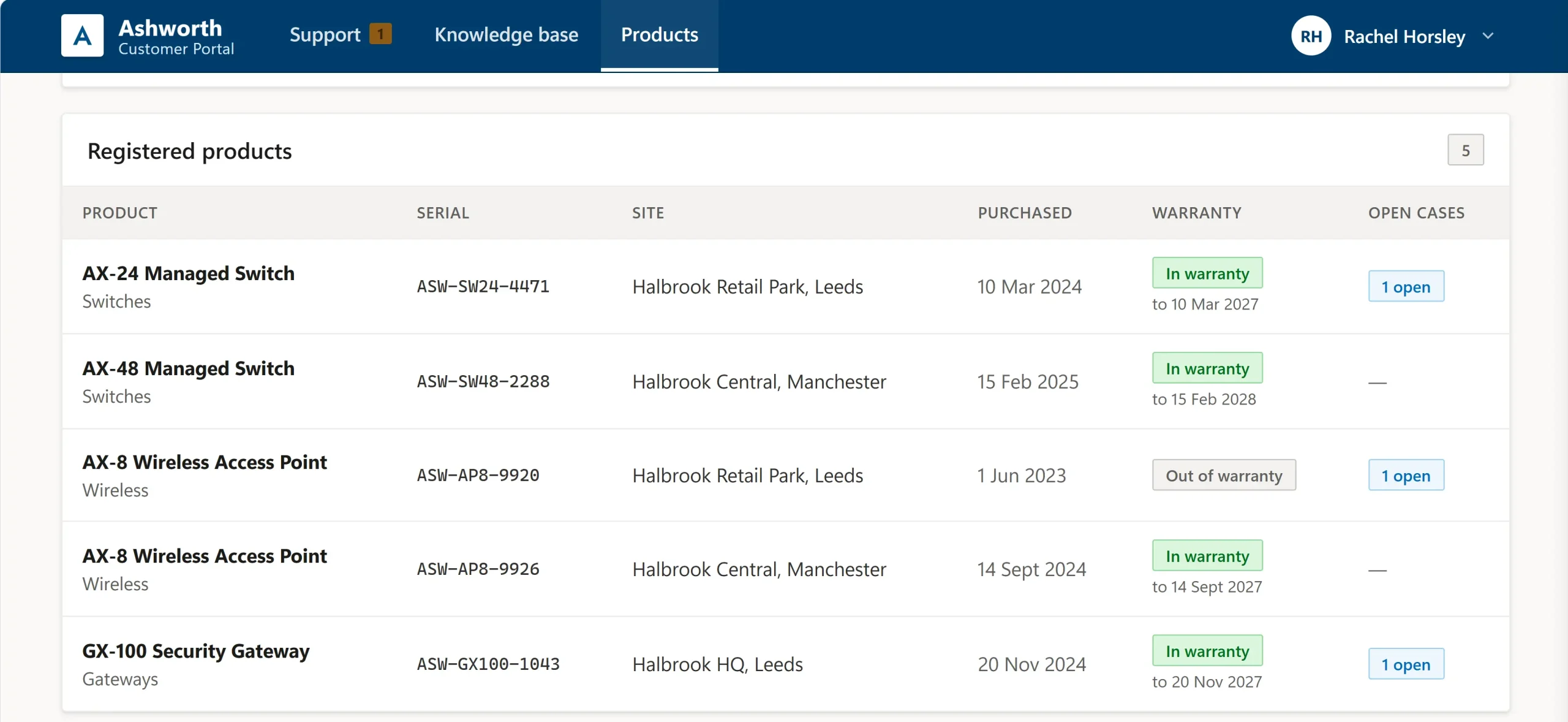
Which products they have registered and when the cover expires. What their contract entitles them to and how much of it remains. Which colleagues hold access to the company account.
These answers are in your CRM, so the task is to make them securely accessible to the right people with the appropriate permissions.
Changes customers can make themselves
The rest is work that customers will happily do online if they can, so these shouldn’t need to be actions for service teams.
Updating an address or changing communication preferences. Registering a product or changing its location. Managing approved company representatives or creating a user account. Amending subscription or membership details.
Each quickly turns into a service request when a portal doesn’t deliver, and makes customers believe that your service team is still the quickest option.
Context creates relevance
Relevance was where many Gartner respondents reported frustration. A generic portal shows everyone the same thing and leaves them to work out what applies to them.
Each click to an irrelevant resource or knowledge article tests their patience, so a proportion of these customers will end up at your service desk.
Personalisation helps avoid wrong turns by tailoring what each person sees based on what you know about them.
That involves using data, including:
- Tables of knowledge articles built against their registered products, rather than just relying on global search.
- Release notes and downloads limited to the products and versions that customer runs.
- Guidance and portal resources opened up by service tier.
- Forms that only list the products registered to an account.
- In business accounts, enabling administrators to activity across their organisation and control which colleagues have portal access and what they can see.
These examples reflect data modelling and permissions work, key steps in deflecting potential issues and determining how much stops reaching service teams.
What everyone gains
For customers, the gain is finishing something at a time that suits them, without having to pick up a phone. Where several people work on the same account, a colleague can pick up where another left off.
For portal owners, that means more issues being resolved online as fewer requests come through. The ones that do tend to be the bigger or more complex issues that demand attention. Data quality often improves because contacts can update their records via the portal.
Recurring issues that customers still contact you about become a visible pattern, providing a clear guide for what to build next.
Where to start
Working out which service requests a portal can handle starts with reviewing your case history, your contract structure and the status of your knowledge resources.
To support this planning process, we can build a working prototype with your processes and terminology, so you have something tangible to assess before committing to anything.
Tell us what most often reaches your service desk, and we will show you what a portal could take off your hands.