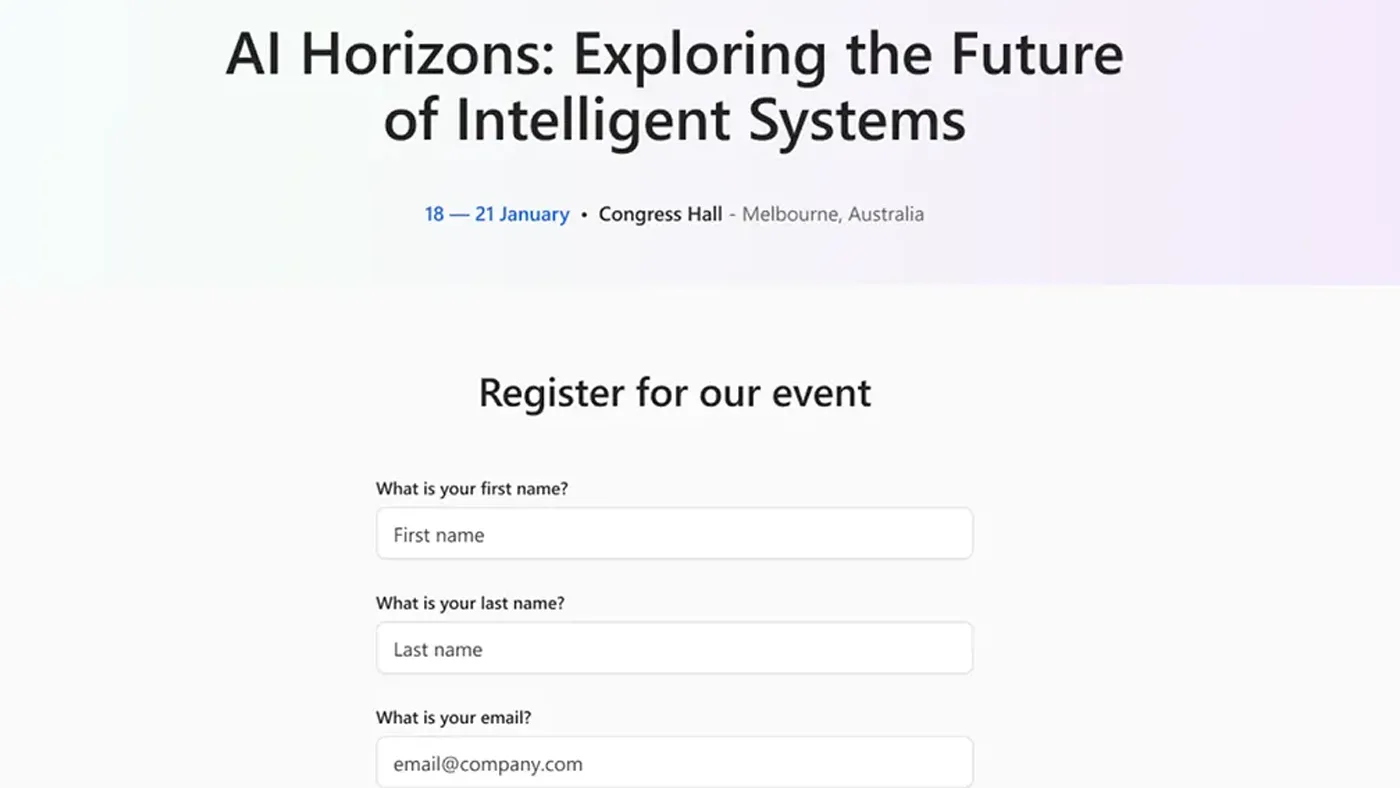
Behind every event is a long list of admin tasks: capturing registrations, synchronising data, and making sure everything reaches the right system. Without the right tools and outdated processes this becomes a bottleneck.
Customer Insights helps reduce the work involved in the event module. It enables you to manage multiple events and registrations, and automate communication with journeys such as email invitations and post-event surveys. To enable people to register, the default method is to use a standalone, unbranded landing page that includes a form.
Functionally, this works, but it’s not very scalable for a business that has the ambition to host many events and deliver a branded experience.
For organisations aiming to increase event registerations, something more capable is needed.
The New Power Pages Template: A Smarter Approach to Event Registration
Microsoft has released a Power Pages template that bridges this gap and integrates with Customer Insights.
It promises a central, customisable multi-event hub for prospective attendees to browse and register for different events in one place. You can brand it with your logos, images, and unique event details, pulled directly from the Customer Insights record.
Watch Our Walkthrough of the Power Pages Event Template
Your Options for Hosting Event Registration
When hosting your events, you can continue to use the standalone page, so fortunately, it’s not one or the other.
You also have other options. You can self-host with a downloadable package from Microsoft, or use the Customer Insights API to extract event information and display it on your website. These are development-heavy, however, and would require your own development resources to maintain.
All options have their merits, and which you choose will depend on your business needs, which we’ll explore a bit later.
Deploying and Customising Your Event Website
The key selling point of using the events template is that you can deploy the website relatively quickly and customise the design, brand and flow of content with drag and drop features. For example, you can decide which events appear on the home page by selecting a view from Dynamics.
It’s also built on core Power Page functionality, so benefits from security configuration options. This lets you design user roles and what information people have access to, such as different types of events.
If you need access to the template code to extend your website, you can also do that. For example, in our video example we customised the landing page to include event capacity information.
If speed is important, you can use the built-in CDN (Content Delivery Network) to improve site performance. This is helpful when expecting large traffic or displaying high-resolution images and videos.
You are free to use a trial to see how it could support your business, but to deploy it for production, you will need a standard Power Pages licence. This is shown to website administrators as part of a go-live checklist, which also includes health checks, custom domain setup, and more.
Power Pages vs. Outbound Marketing Portal: A Side-by-Side Look
If you’re a veteran with Microsoft’s Dynamics Marketing products, you might have used the previous Outbound Marketing portal, which this template replaces. The Power Pages template is a significant upgrade from the previous version.
While the old portal centralised events, it was restrictive in branding and limited the content extracted from Dynamics. It was designed as an off-the-shelf, one-size-fits-all solution, which restricted companies from deciding how to showcase their events. It was also developed before Power Pages, so it didn’t get the built-in advantages that the new template has.
| Feature | Power Pages Event Portal | Previous Event Portals |
|---|---|---|
| Customisation | Integrated and fully customisable via Customer Insights | Limited tweaks possible. More advanced changes require developers |
| Deployment Ease | Rapid set-up with pre-built template and out-of-the-box features | Administrator required to install and licence allocated upfront |
| Performance & Scale | Designed to handle high traffic and multiple events smoothly | Can slow down or struggle with large traffic volumes |
| Scenarios | Centralised and customisable event hubs | Event listings and registration. Lacks flexibility for information displayed |
| Extensibility | Supports adding pages, Dataverse info and external data, and third-party apps | Adding new pages or features is difficult and requires development |
Who’s the Power Page Events Template for?
If you only plan to host one or two events per year, from a cost-benefit perspective, this website probably isn’t for you. The standalone built-in form should suffice. If you have significant development resources and want to keep potential attendees on your own website, you may want to explore self-hosting/event API and save money on the licence fee.
However, if you lack the above and need a mostly self-maintaining website while hosting many events per year, we recommend seriously considering this option. The quick deployment, customisation options, built-in Power Page features, and infrastructure will get you up and running in days.
Most importantly, you will benefit from a central branded hub for your events. This will encourage more registrations, compared to the standalone forms, which are difficult to brand, and events are siloed from each other.
Whether you want to understand the best options for your organisation or need guidance launching your event website, ServerSys’ expertise in Customer Insights and Power Pages means we can support you.
Further reading:
Build an event registration portal with Power Pages – Dynamics 365 Customer Insights