
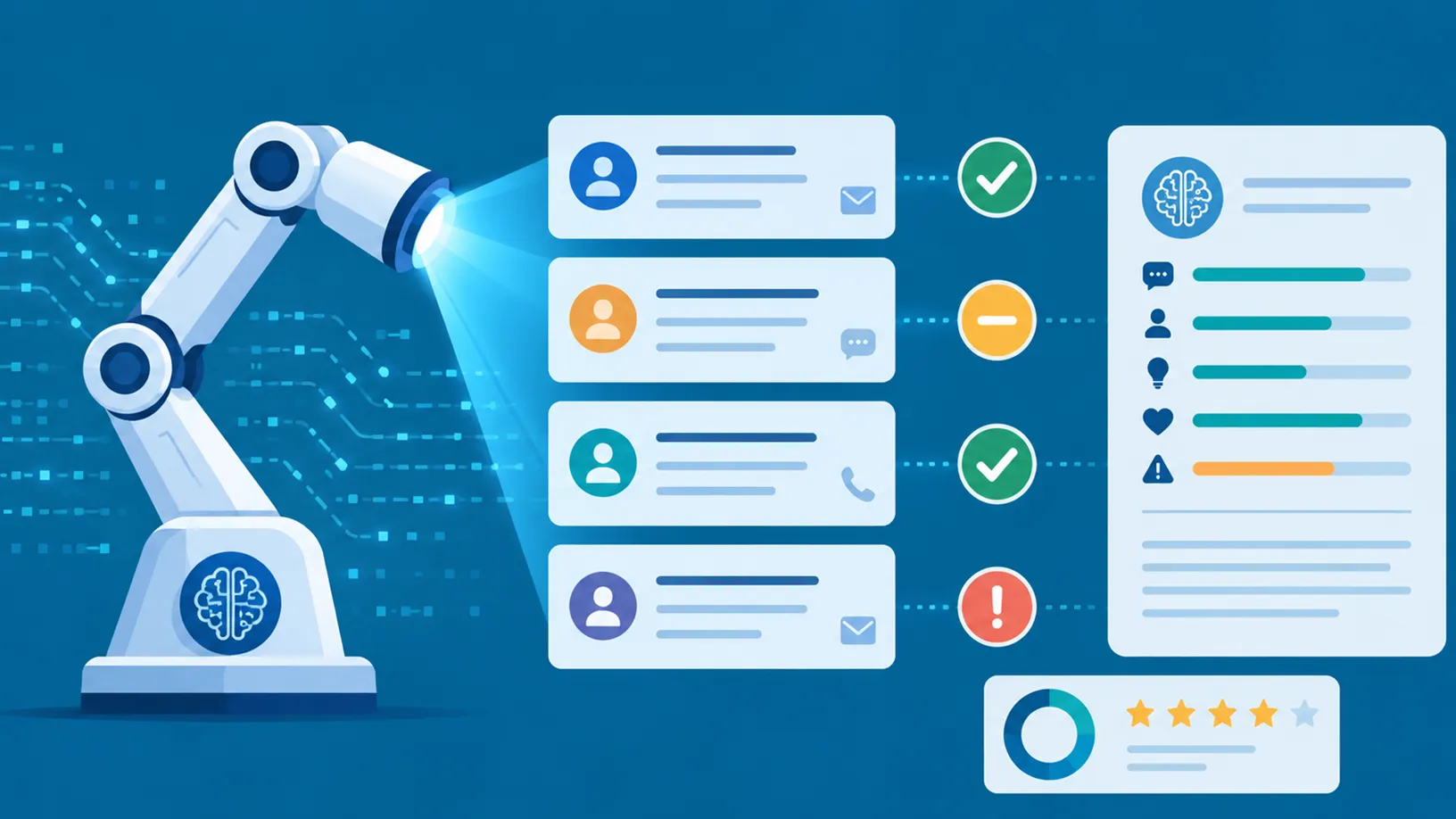
How do you know whether your service team is consistently delivering good customer service?
Most organisations rely on a combination of customer feedback, KPIs and manual case reviews to measure performance. Response and resolution times can tell you a lot, but manual reviews typically only stretch to 3 to 5 cases per agent, per week, a tiny fraction of the cases your team actually handles. On top of this, bias and variability in evaluations creep in over time.
It’s a familiar problem for System Admins and Service Managers alike, one measuring quality at scale, the other trying to configure the tools to do it.
What if you could evaluate cases against your own criteria, and get real-time feedback on how an agent handled them?
With the Quality Evaluation Agent in Dynamics 365 Customer Service, Microsoft claims you can. Whether that holds up in practice is something we wanted to test for ourselves, more on that later in the post.
The AI-powered Agent gives businesses the ability to evaluate some, or all, of their cases, conversations or emails against their own criteria. This post focuses specifically on cases, although much of what follows applies to the other record types too.
What does the Quality Evaluation Agent assess?
When evaluating a case, the agent can assess how the service agent performed against measures such as:
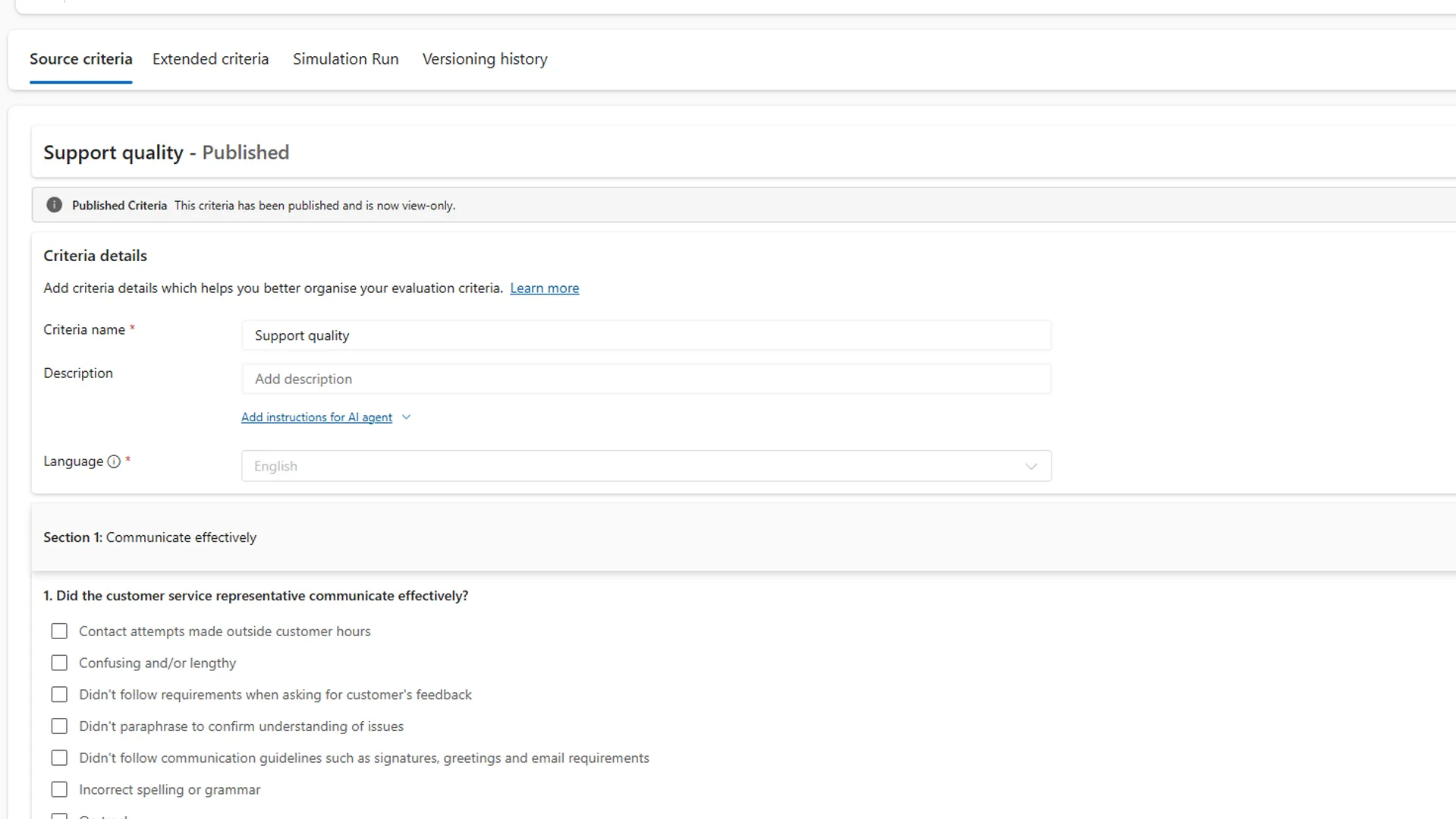
- Did they communicate effectively?
- Were they accountable?
- Were they resourceful?
- Did they demonstrate empathy?
- Were there any blockers preventing the case from progressing?
The Quality Evaluation Agent also produces an evaluation summary, with a few paragraphs explaining the issue and how the service agent handled it.
You can also enable scoring, which grades each case out of a configurable number, set to 100 by default.
This arms coaches with something concrete to work with. If a case handler disagrees with feedback, the manager isn’t relying solely on their own subjective impression, they can point to a documented evaluation based on predefined criteria, making the conversation harder to dispute unfairly.
Why is the Quality Evaluation Agent useful?
For us, the biggest opportunity is coaching.
Agents and their managers can use evaluations to understand the quality of cases being handled and identify areas for improvement. Used effectively, this can help improve service outcomes while giving managers a far more reliable way of coaching their teams.
It can also reveal differences between service teams. One team might regularly score higher than another, while another could have a recurring problem with accountability, communication or case blockers, insight that goes beyond individual performance and into process or workflow issues that might otherwise be mistaken for one person’s shortcomings.
A big advantage, though, comes from scale. A supervisor can manually review a sample of cases, but that approach is hard to grow beyond a handful of reviewers, and inevitably introduces variation in how each case is assessed. With an AI evaluation plan, cases are assessed against the same defined criteria, making evaluations more consistent and less dependent on individual judgement.
Because the results are centralised, patterns can also emerge that would be difficult to spot from individual case reviews: a particular case type that scores lower, a channel underperforming, or agents repeatedly hitting the same blocker. Those insights can then feed back into coaching, processes and service design.
In other words, the value is gained in turning those evaluations into information about how your service operation is performing.
How does the Quality Evaluation Agent work?
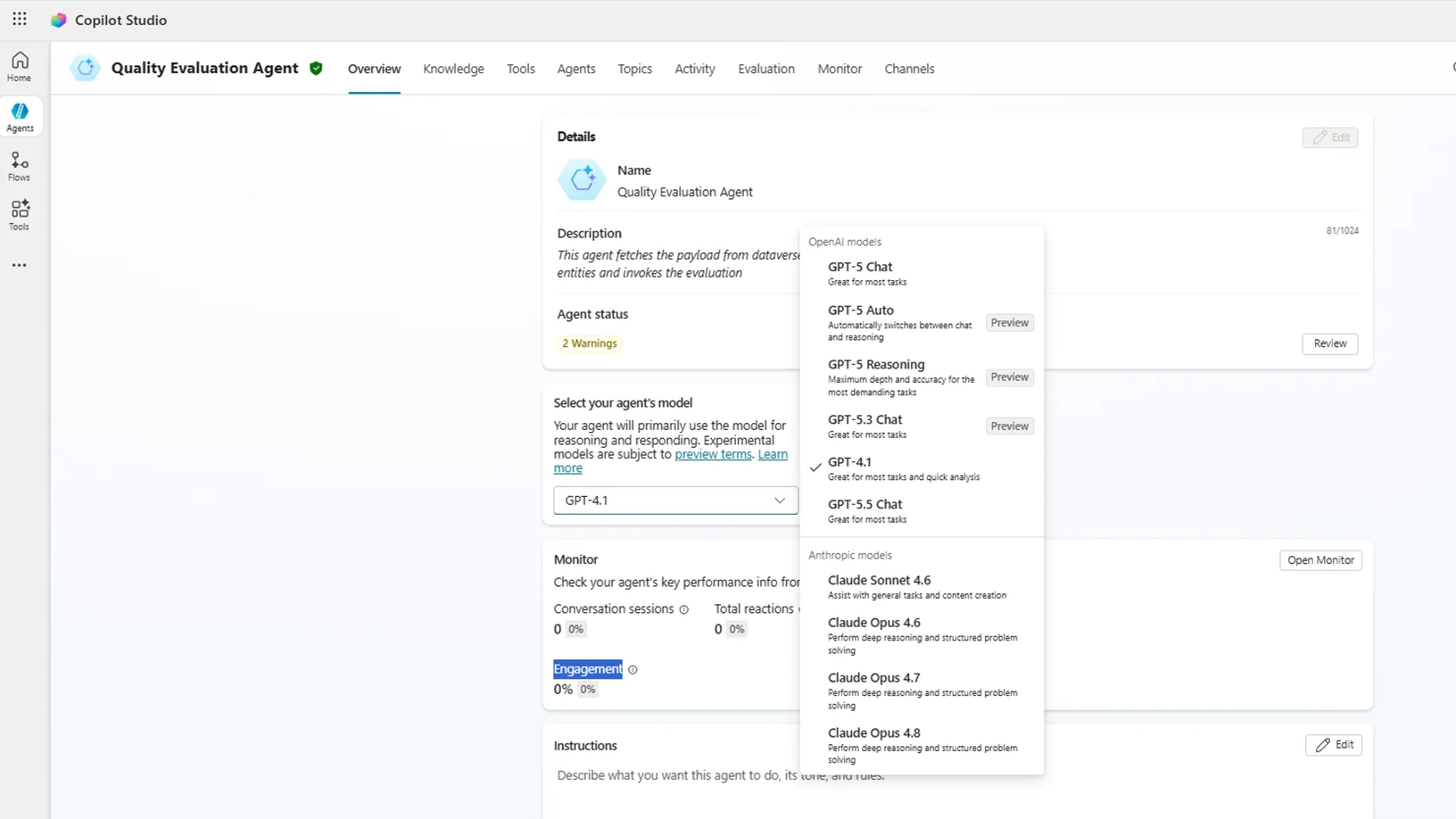
You can choose which Language Model (LLM) powers the agent, selected inside Copilot Studio. If you opt for an Anthropic-based model, you’ll likely need to complete some additional configuration, such as setting up authentication. This flexibility means the agent isn’t tied to a single model provider, so businesses already using a particular model elsewhere can keep evaluation criteria aligned with the rest of their AI stack.
Once the necessary prerequisites are configured in the Dynamics 365 Customer Service admin center, you can decide what the Quality Evaluation Agent should evaluate. Currently, you can choose from:
- Cases
- Conversations (Contact Center only)
- Emails (preview)
You can also control which columns from the relevant data table the agent uses when evaluating a case. By default, it looks at fields such as description, subject, created date, priority and severity, but you can add your own columns or remove existing ones.
You may have fields containing particularly sensitive information, or columns that simply add noise without helping the evaluation. Being able to control the inputs as well as the outputs makes the agent more practical for regulated or privacy-sensitive organisations, where you may not want a model considering every piece of information stored against a case.
You can also enable bulk evaluations, letting the agent automatically evaluate cases according to your evaluation plan, for example, scoped to particular service teams or case scenarios.
Choosing an evaluation method
When creating an evaluation plan, you’ll need to choose an evaluation method: AI agent, AI assisted, or Manual. The distinction between AI agent and AI assisted matters most, because it determines how much judgement you’re willing to hand over to AI.
AI agent
Every question in the evaluation criteria must be AI-enabled, and manual editing isn’t allowed. The agent completes the evaluation from start to finish without a human step in the process. This makes sense for criteria that are relatively objective and clearly defined, for example, checking whether a required disclosure was included in a customer communication.
AI assisted
Only one question needs to be AI-enabled, and the evaluation is assigned to a Team or User, meaning a person is explicitly responsible for completing it. This suits criteria where human judgement still matters, tone and empathy are good examples. An AI model can provide an assessment, but you may want a manager or coach to weigh that assessment against their own.
AI agent is built for autonomous, repeatable evaluation. AI assisted keeps a person accountable and involved in the decision. The right choice comes down to trust: how much of the judgement call you’re comfortable handing to AI, and where you want a person to stay in the loop.
You also control when evaluations run. Conditions can target particular teams, priorities or severities, while frequency can be set to real time, once, or triggered.
AI agent simulation test runs
It’s understandable that some System Admins and Service Managers might feel cautious about putting an AI agent in charge of evaluating their cases. Fortunately, you don’t have to go straight from configuration to production.
You can run simulations against cases using your evaluation criteria to see how the agent would handle them. This gives you a chance to refine the criteria before they’re used live, perhaps a question is too harsh, a criterion too vague, or you’ve overlooked something important.
The simulation is also a useful safety net: it doesn’t touch your data or alert service agents through the normal evaluation interface. For something as subjective as evaluating customer service quality, that ability to test and refine before going live is particularly valuable.
Using the Quality Evaluation Agent
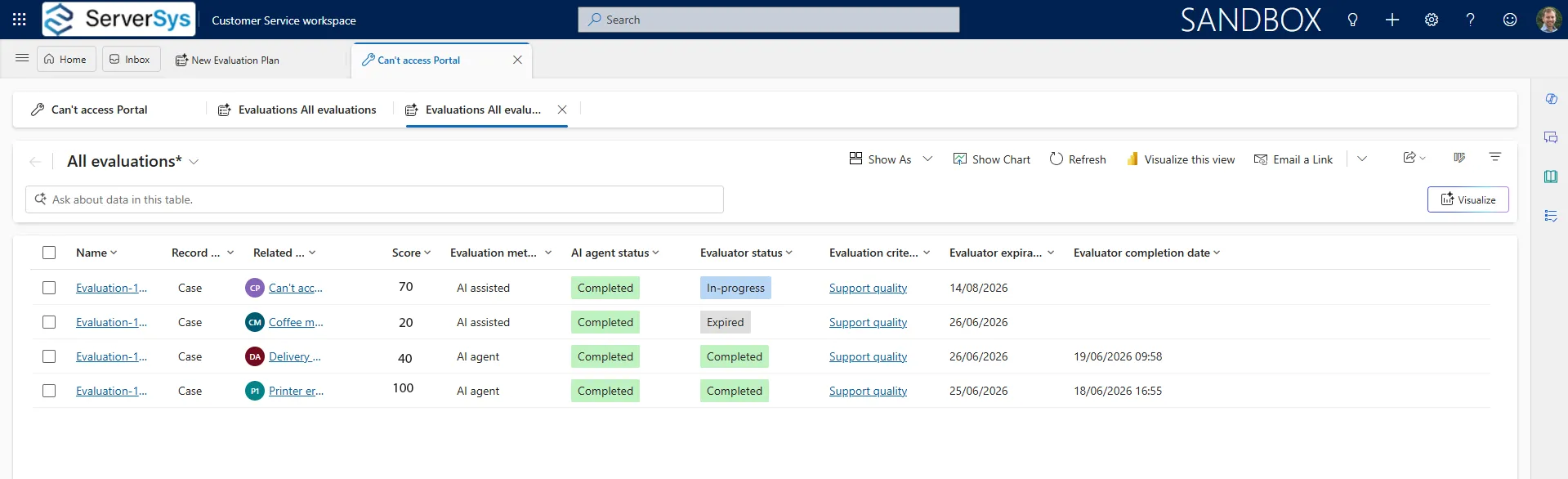
Once the agent is configured, service managers and agents can access evaluated cases from within the Customer Service workspace. A view shows the evaluations in one place, including scores and whether the AI agent has completed its assessment.
You can customise the view to show what’s most useful to your team, or filter by things like the service team handling the case, useful for a manager focused on their own team, or spotting lower-scoring cases that need follow-up.
Opening an evaluated case brings up a panel containing the summary and the individual factors used to assess how it was handled, such as:
- Accountability
- Empathy
- Communication effectiveness
- Resourcefulness
- Case blockers
These factors contain configurable options. For example, under accountability, a business might define negative issues that need to be addressed as:
- Emails not personalised
- Didn’t acknowledge, validate or reassure
- Missed positive customer engagement
This is one of the more compelling aspects of the Quality Evaluation Agent. Rather than asking an AI model to decide whether an interaction was “good” or “bad”, you define what good looks like for your organisation and build criteria around it.
That matters because no two service teams define good customer service the same way. One organisation might emphasise empathy, another accountability or compliance statements, a technical support team might prioritise resourcefulness and whether the case moved toward resolution. The ability to build your own criteria means the agent adapts to those differences rather than imposing a one-size-fits-all definition of quality.
You can also maintain multiple criteria configurations, loaded into different evaluation plans, so different teams or scenarios can be assessed in different ways.
Putting the Quality Evaluation to the test
Microsoft’s own framing of the agent leans on fairly broad claims, that it can judge whether an agent communicated effectively, showed empathy, or was accountable. These are subjective, human qualities, and we wanted to see how reliably an AI model actually assesses them in practice.
We did this by creating a sample of fictional cases and asking the agent to evaluate them. In one sub section of these cases, our customer service agent responded well: correct grammar, extra context on the problem, a clear explanation of the solution, and recognition of the customer’s frustration.
In others, our service agent responded poorly: incorrect spelling, missing details, and leaving the customer to do their own legwork.
In both scenarios, the AI correctly identified which cases were handled well and which needed work. These clear-cut cases were easy for the agent to judge.
Where it gets more interesting is the middle ground. We tested a range of lukewarm responses, cases where the information was correct and presented in a just-about-acceptable way, but didn’t go above and beyond. We wanted to see which way the judgement would fall for the different assessment metrics, and found it was more likely to land in the higher-scoring, positive camp than we expected.
What Affects the Evaluation Results?
We were testing with a fairly default configuration, and in practice, judgement on these middle-ground cases will depend on several factors:
- Which data table columns are being used
- Which AI model is powering the agent
- How your evaluation plan and criteria are set up
In our tests, we also relied mostly on the description field for the agent’s assessment. In real-world scenarios, however, the evaluation can take into account response time, severity, priority and more.
In other words, for the clear wins and clear failures, the agent’s judgement is reliable. For everything in between, the result depends heavily on how well you’ve configured it specifically for your business needs, which is worth bearing in mind before trusting the agent’s scores at face value for borderline cases.
Our thoughts
The Quality Evaluation Agent changes where and how human judgement is focused.
Instead of managers spending significant time manually sampling and scoring cases, AI can handle much of the repetitive evaluation work, freeing managers to focus on understanding the results, coaching their teams, and addressing the problems those results reveal.
What stands out to us is the level of configuration: your own LLM, your own criteria, control over what data the agent evaluates, a choice over where AI works autonomously versus alongside a person, and the ability to test evaluation plans before they go live.
The evaluations still aren’t inherently objective, an AI model is interpreting information according to the criteria you’ve given it. The value lies in consistency, scale, and a structured way of applying those criteria across far more cases than a human team could reasonably review manually.
For organisations already using Dynamics 365 Customer Service with a medium or large service team, that’s where we think the opportunity lies. This tool gives managers better information to work with, and making quality evaluation something that can scale alongside the service operation. Coaching and human judgement still do the rest.
Where to start with the Quality Evaluation Agent
Getting value from AI evaluation starts with understanding which parts of your service process can be assessed reliably, and where human judgement still matters.
We can help you explore how AI-powered evaluation could work with your Dynamics 365 Customer Service setup, using your processes and criteria rather than a one-size-fits-all approach.
Talk to us about your service operation, and we’ll help you work out where it could add value.
Further reading: